Organizations and contacts, modeled properly
Member businesses are the record. Contacts belong to them, with a title, a primary contact, and a portal login if they need one. When someone changes jobs, you change the contact, not the member.

Chamberzu isn't a suite of products that were acquired and bolted together. Membership, events, billing, the directory, the member portal, and reporting were designed against the same data model, which is why a payment shows up on a member record without anyone syncing anything.
One record per member business, with its contacts, invoices, payments and event history attached.
Most chamber software treats a member like a row in a mailing list. Chamberzu treats it like what it actually is: an organization with several people, a dues history, a tier and a renewal date. Open a member and you see the whole relationship without opening a second tab.
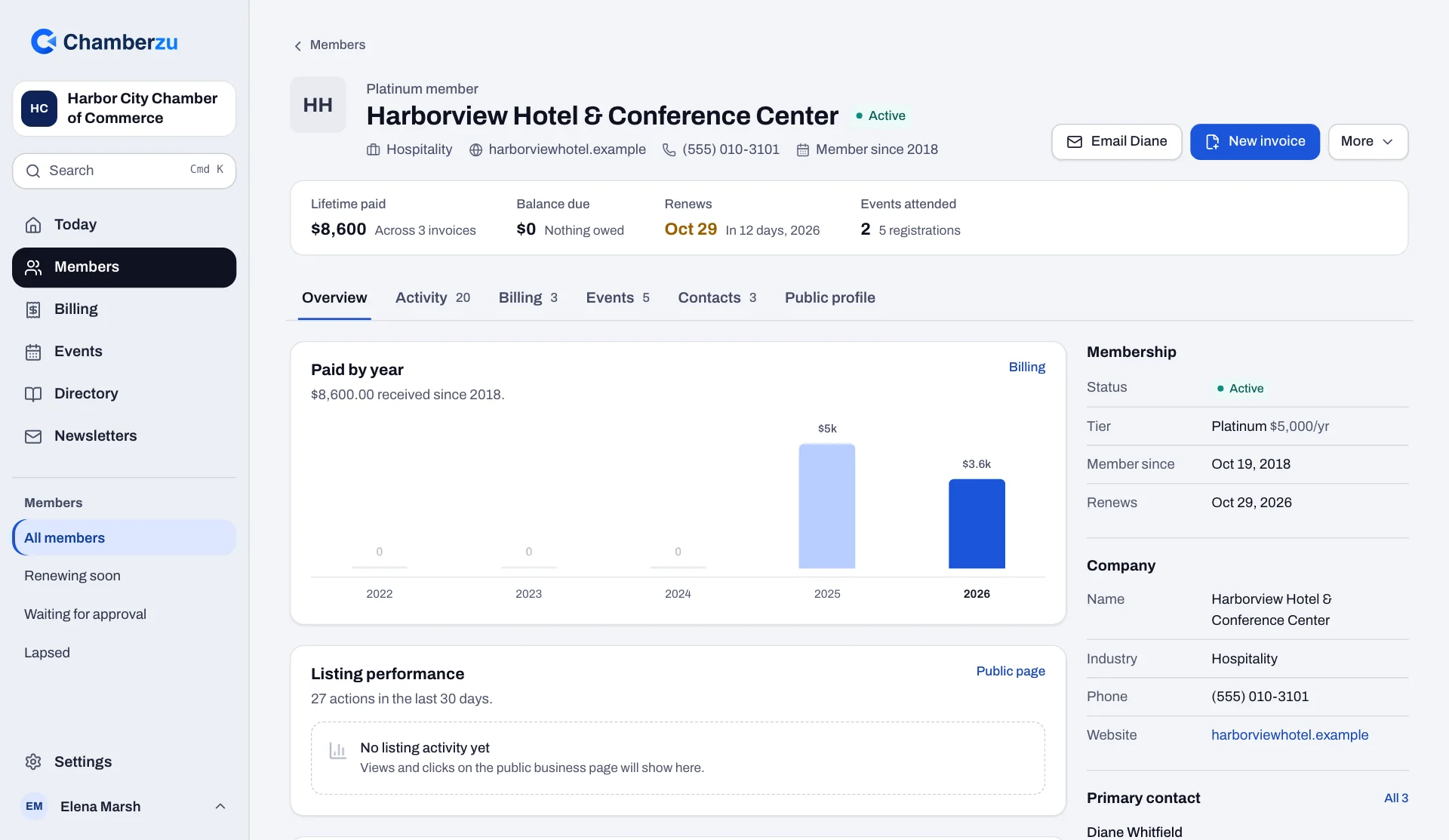
Member businesses are the record. Contacts belong to them, with a title, a primary contact, and a portal login if they need one. When someone changes jobs, you change the contact, not the member.
Define your own tiers with annual or monthly dues and a list of benefits. The tier sets the renewal invoice, and on Growth and Enterprise it can include a featured directory listing.
Invoices issued, sent and paid, payments, event registrations and check-ins, contacts added and the email sent to them, on one timeline. When a board member asks "are they getting value?", the answer is on the screen.
A Renewing soon list shows every membership due in the next 30 days and whether its invoice has gone out. Tick the ones that have not and send their renewal invoices together.
Members are pending, active, lapsed, suspended or former. New members can wait for your approval. On Growth and Enterprise, a member whose renewal goes unpaid for 30 days past the date lapses on its own; on Starter you change the status when you are ready.
See how often a member's listing was viewed and clicked, and the inquiries it brought in. It is the clearest answer to "what do I get for my dues?"
Members, contacts, tiers, open and past invoices, payments and event attendance import from CSV or Excel, with likely duplicates flagged for you to decide. Export everything as CSV, any time.
From a ten-person coffee meetup to a 500-seat gala, with registration, tickets, check-in and revenue in one place.
Events are where chambers create most of their visible value and a meaningful share of their revenue. They are also where the most manual work hides: chasing RSVPs, keeping a headcount in a spreadsheet, printing the list the night before. Chamberzu keeps every registration on the event and on the member's record.
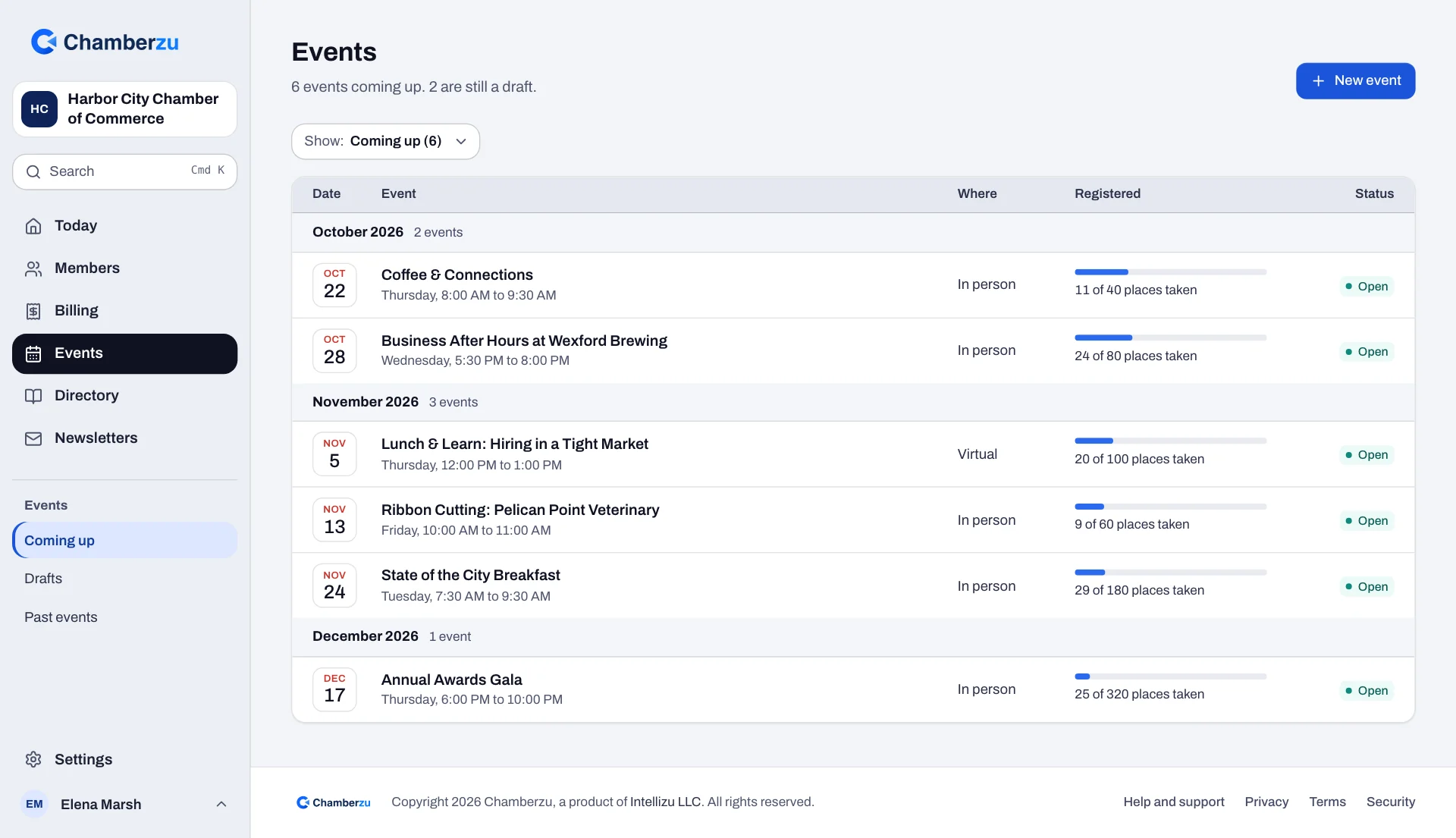
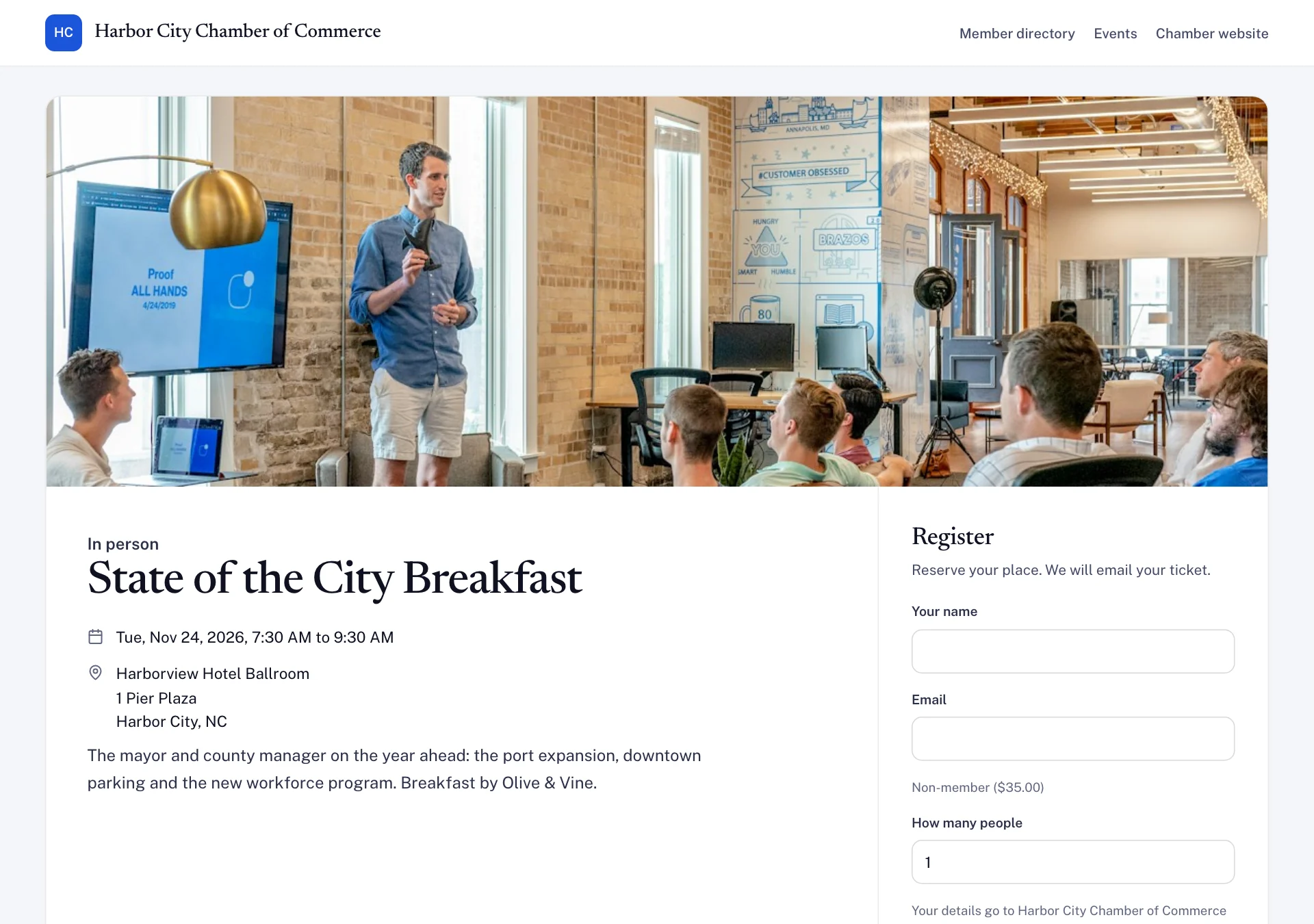
Every published event gets its own page on your chamber's site, with the details, location and a Register button. Members can also register from their portal.
Offer as many ticket types as you need, free or priced, each with its own capacity. Mark a ticket type members-only and only member businesses can choose it.
Cap an event and its tickets. When an event is full and its waitlist is on, new registrations join the waitlist instead of overbooking the room.
Each attendee gets a ticket page with a QR code. Staff scan it with their phone's camera to check the person in, with no app to install.
Open the attendee list on a phone or tablet, search a name and check them in. Walk-ups can be added at the door as a member or a guest.
Registered, checked in and ticket revenue for each event, and each registration on the member's record for the year-end conversation.
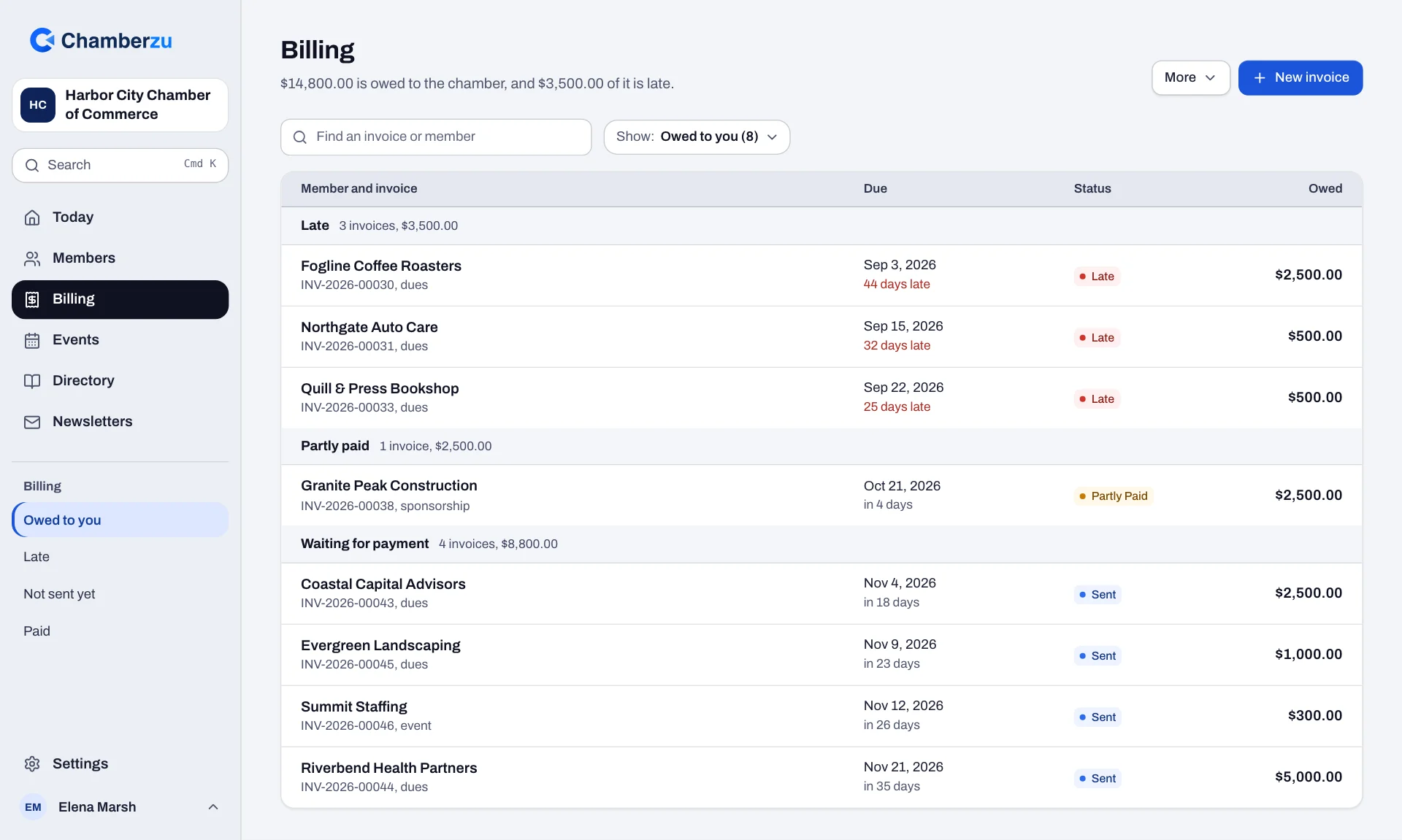
Renewal invoices that go out on time, reminders that follow up for you, and a clear view of who still owes.
Chambers lose real revenue to process, not to churn: an invoice that went out late, a renewal nobody followed up on, a check that sat in a drawer. Billing in Chamberzu runs on a schedule, follows up on its own and keeps every balance on the member's record.
Thirty days before a member's renewal date, Chamberzu issues the renewal invoice from their tier's dues, emails it and posts it to their record. Annual or monthly, set per tier.
Reminders go out 30 days and 7 days before the due date, on the day, and a week after. They stop as soon as the invoice is paid.
Record a check, cash or any other payment against an invoice in a couple of clicks, for the full balance or part of it. The balance and the member's history stay accurate.
Dues, sponsorships or anything else, each numbered in sequence, with line items, a due date and a printable copy.
Every invoice in billing, filtered by open, overdue or paid, and every past-due invoice on the Today screen with how late it is.
Download invoices, payments and members as CSV, alone or with everything else in one ZIP, whenever you need them.
A public directory that gives members a reason to renew and gives your chamber search visibility you do not have to maintain.
"What do I actually get for my dues?" is the hardest question a membership director answers. A directory listing that shows up in search, sends real referral traffic and is never out of date is one of the few answers that speaks for itself.
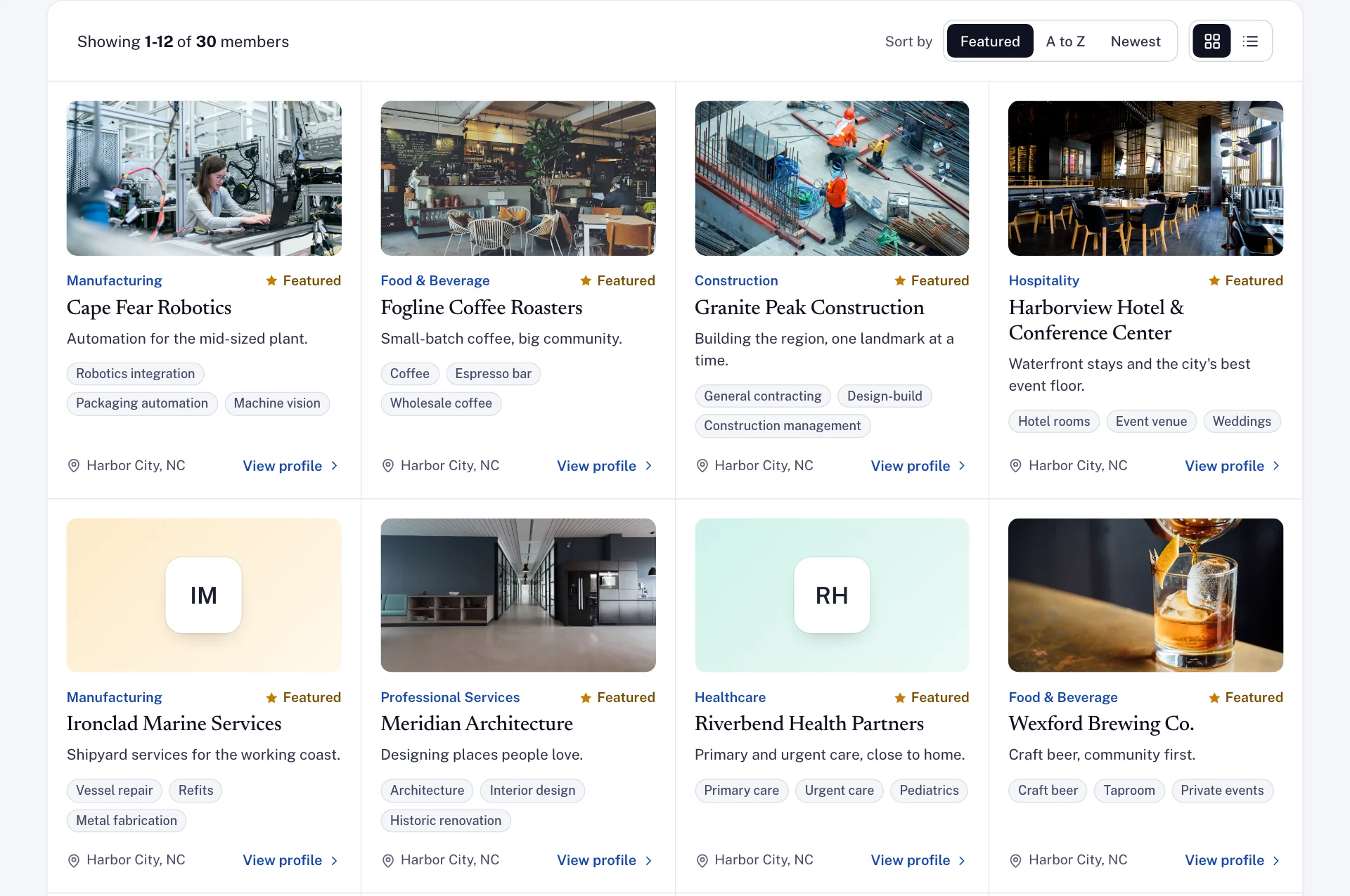
Visitors search by name and filter by industry and city, then open a full page for each business.
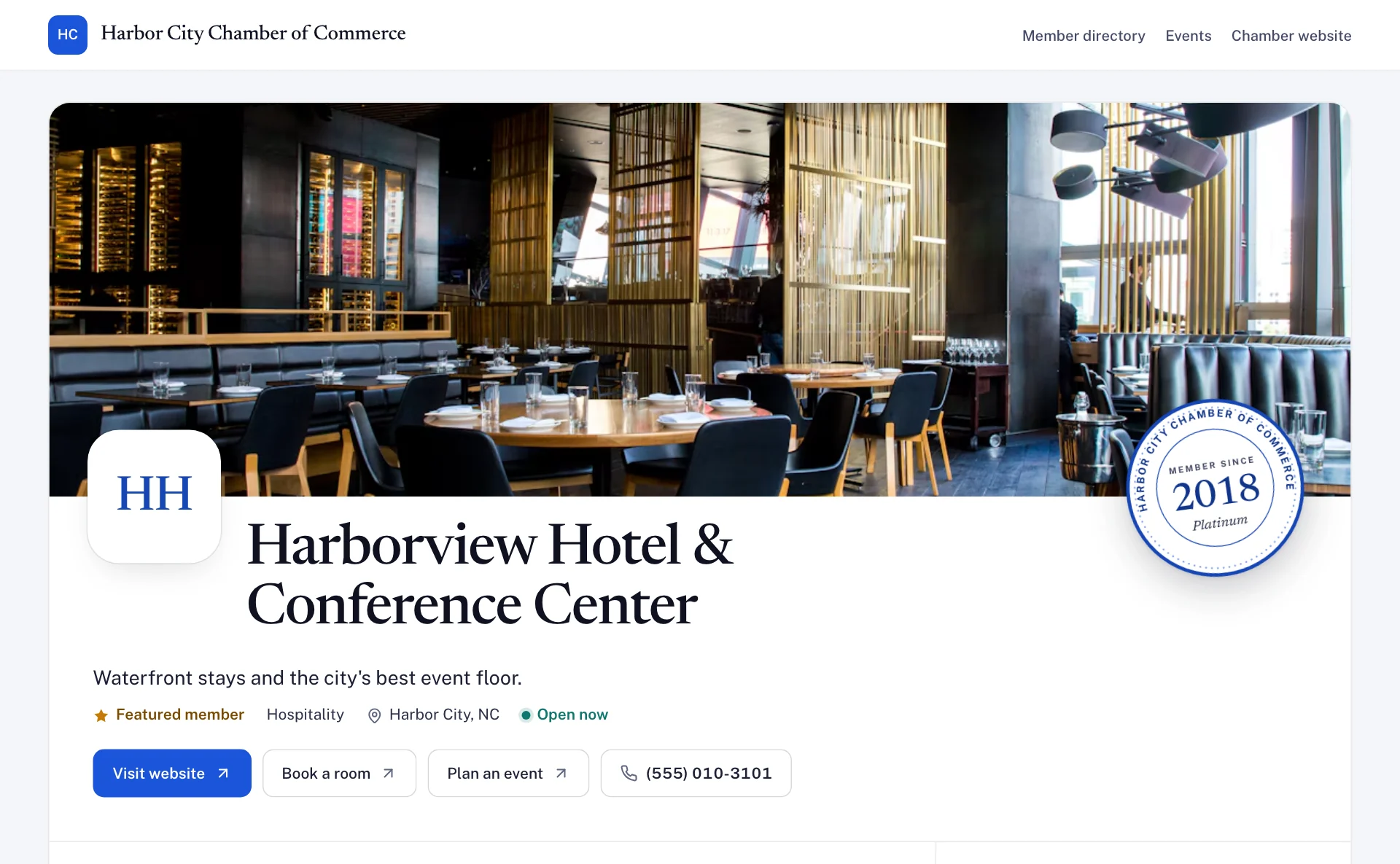
Logo, tagline, description, services, photos, hours, website, phone, social links, extra locations and buttons for booking or messages. Members keep their own profile current from the portal.
On Growth and Enterprise, tiers can include a featured listing, which shows a badge and sorts first. It costs your staff nothing and gives your renewal conversation an obvious upgrade path.
Every business page publishes LocalBusiness data, including opening hours, so listings are eligible for richer results in search.
The directory is generated from your member records. A member who lapses drops off. A member who updates their address updates the listing. Nobody re-exports anything.
Embed the directory and event calendar on the site you already have, with snippets for any site and a WordPress plugin. Old directory links from your previous system can redirect to the new pages.
A login for member businesses, so they can check what they owe, register for events and keep their listing current without calling your office.
Every phone call that starts with "can you send me my invoice again" is a minute of staff time spent on something the member would happily look up themselves at 9pm. The portal works on a computer or a phone, and each business sees only its own information.
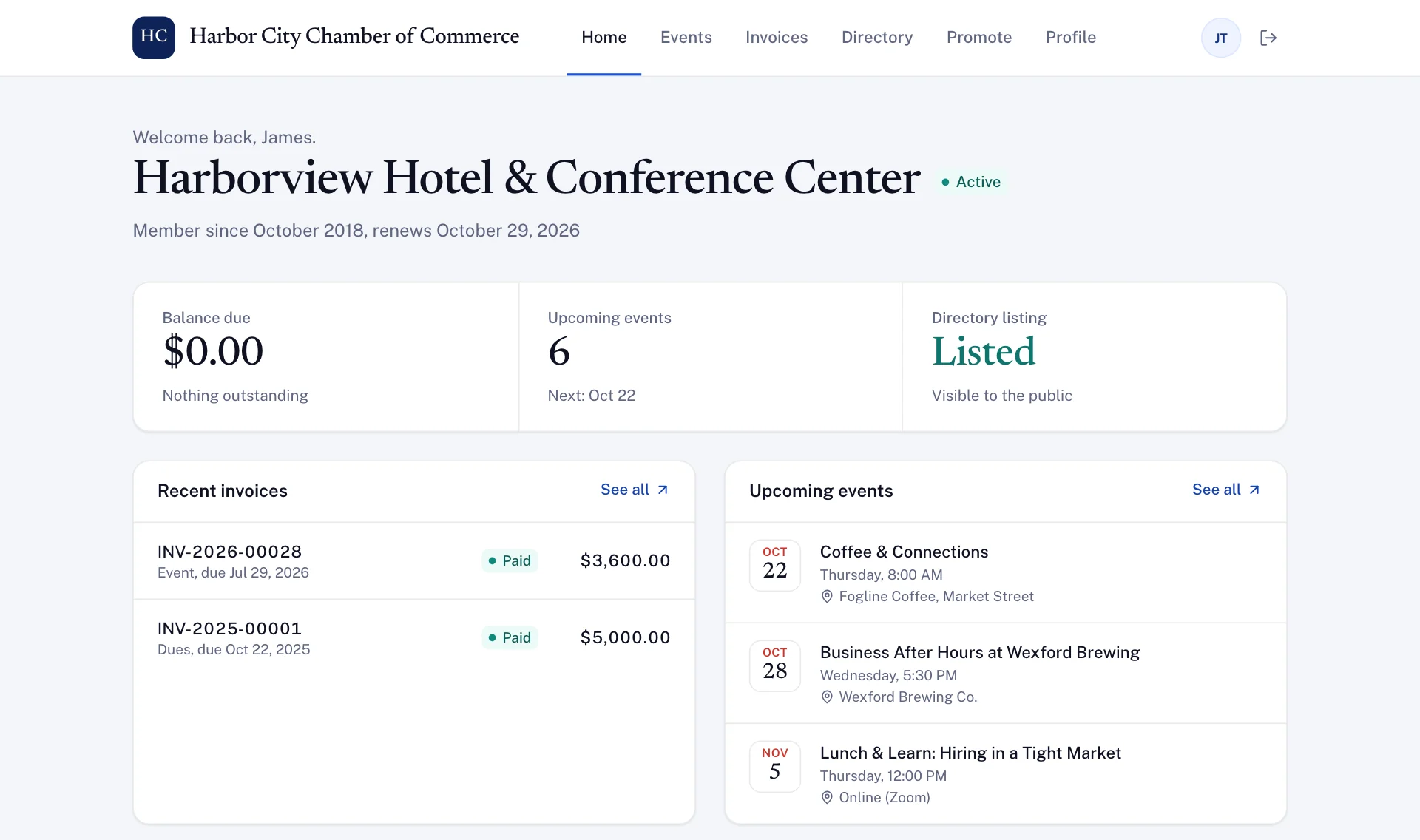
Members see what they owe, what they have paid and every invoice, without emailing your office for a copy.
Members update their description, logo, services, photos, hours and contact details, and the public listing follows.
Every event you publish, with a Register button, and the events they are already signed up for.
Members see how often their listing was viewed and clicked, and the inquiries it brought in, so the value of membership is in front of them.
The member directory, searchable whenever they need a supplier or a referral.
A badge they can put on their own website that shows they are a current member of your chamber.
The numbers your board asks for, from live records instead of a spreadsheet assembled the weekend before the meeting.
Executive directors are asked to justify the chamber's existence on a recurring basis: to a board, to a city council, to members deciding whether to renew. The numbers that answer that question already exist inside your operations. Chamberzu stops making you assemble them by hand.
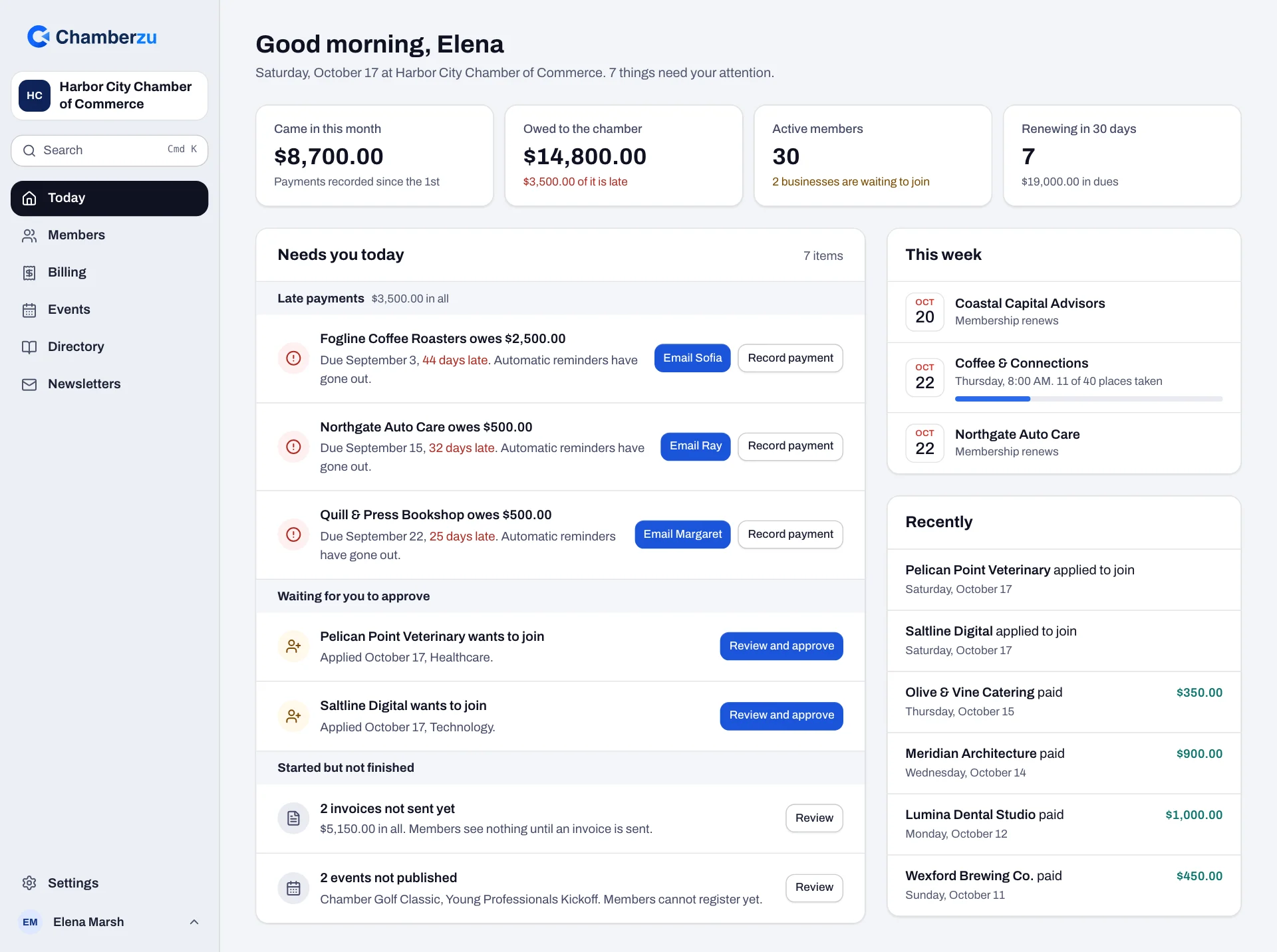
Each morning, what needs you in plain words, with the next step on the same line: late payments with a ready-written email, renewals this week that have not been billed, businesses waiting for approval, and invoices or events left unfinished.
What came in this month, what is owed and how much of it is late, active members and renewals due, plus the week's events and recent payments, current as of right now.
Registrations, check-ins and ticket revenue for every event, against its capacity.
Views, clicks and inquiries for each member's listing, the evidence that the directory earns its place in the dues.
For each newsletter, how many were sent and delivered, how many bounced, and any unsubscribes or spam complaints.
Every record downloads as CSV, so a board pack or an auditor's request starts from your real data.
Most chambers arrive with four to seven tools that partially overlap. Here is the stack Chamberzu is designed to collapse, and what you stop paying for in subscriptions and in staff hours.
Newsletters are built in too, and your directory and event calendar can sit on the website you already have. The integrations page covers what connects and what doesn't.
Paste in your business names, tiers and renewal dates when you book, and the demo opens with your own members instead of a sample chamber.
No credit card. No obligation. A real conversation with the people who build the product.